

Use cases
This feature comes in handy when you want to ensure that your subgraphs adhere to your company’s policies or standards outside what Cosmo offers out of the box. For example, you might want to ensure that all types and fields follow a certain naming convention. Another use case is to hook subgraph check into additional pipelines in your system to ensure that the proposed changes are valid and follow the expected standards before they are deployed to production. For example, if your development team introduces a breaking change that is expected, a notification can be sent to your frontend team so they can be aware of the upcoming change.How it works
When the Subgraph Check extension is enabled for a namespace, each time a check runs against a graph in that namespace, a request is sent to the configured endpoint. This request includes details about the check and allows you to define additional lint issues or return error messages that can cause the check to fail.Request
The request is sent using thePOST method with a JSON body. You can learn more about the request structure on
the request payload structure page.
Response
We use the status code to determine whether the request was successful or not. We expect the status code200 or 204.
Any other status code is considered a failure and is displayed as such on the checks page.
When we receive a 200 status code, we’ll validate that the response body matches the expected
response structure. If the response cannot be validated, we consider the check a failure.
A status code of
204 indicates that the request was successful but no further action is required. This can be
useful when you don’t want to perform any check and don’t want the check to fail.Configuration
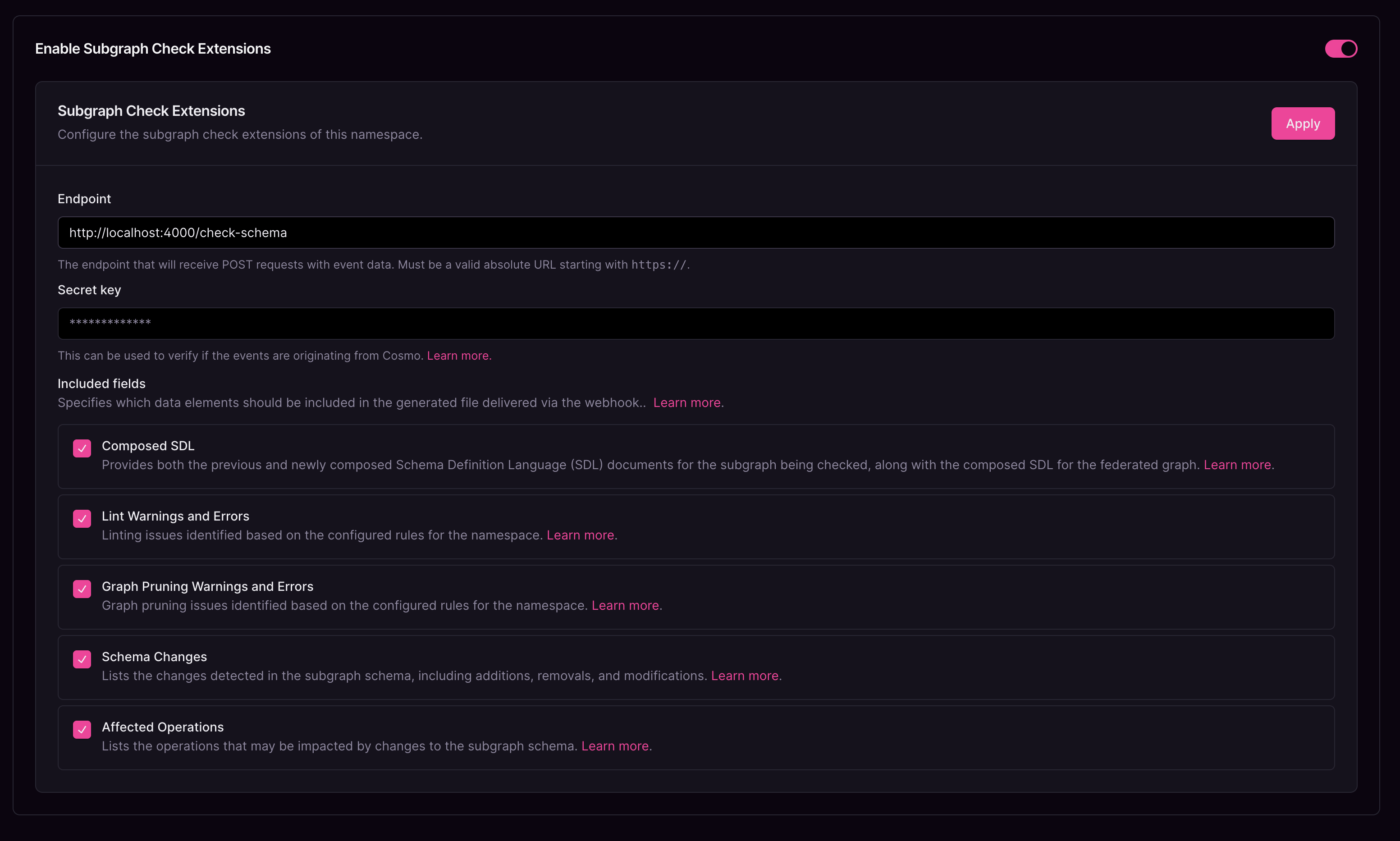
Subgraph Check Extensions configuration
Endpoint
The URL to which each request is sent. This endpoint must be accessible from Cosmo.Secret Key
A value used to generate the request signature when sending data to the configured endpoint. This signature helps verify that the request originates from Cosmo and has not been altered.Include Composed SDL
When enabled, both the previous and current SDL (Schema Definition Language) versions are sent to your service.Include Lint Warnings and Errors
When enabled, all detected lint issues are sent to your service.To receive warnings and errors, you must enable Linter Rules for the namespace.
Include Graph Pruning Warnings and Errors
When enabled, all detected graph pruning issues are sent to your service.To receive warnings and errors, you must enable Graph Pruning for the namespace.
Include Schema Changes
When enabled, details of schema changes are included in the data sent to your service.Include Affected Operations
When enabled, information about affected operations is included in the data sent to your service.Verification
To ensure the payload data comes from a trusted source and hasn’t been tampered with during transit, we employ HMAC signatures. When setting up the Subgraph Check Extension for a namespace, you can provide a secret key. This secret key is used to compute a signature that is sent along with each request. The header containing this signature isX-Cosmo-Signature-256.
Verification Example
To verify the request, compute the HMAC signature on your server and compare it to the signature in theX-Cosmo-Signature-256 header.
Here’s an example in Node.js: